April 11th, 2026

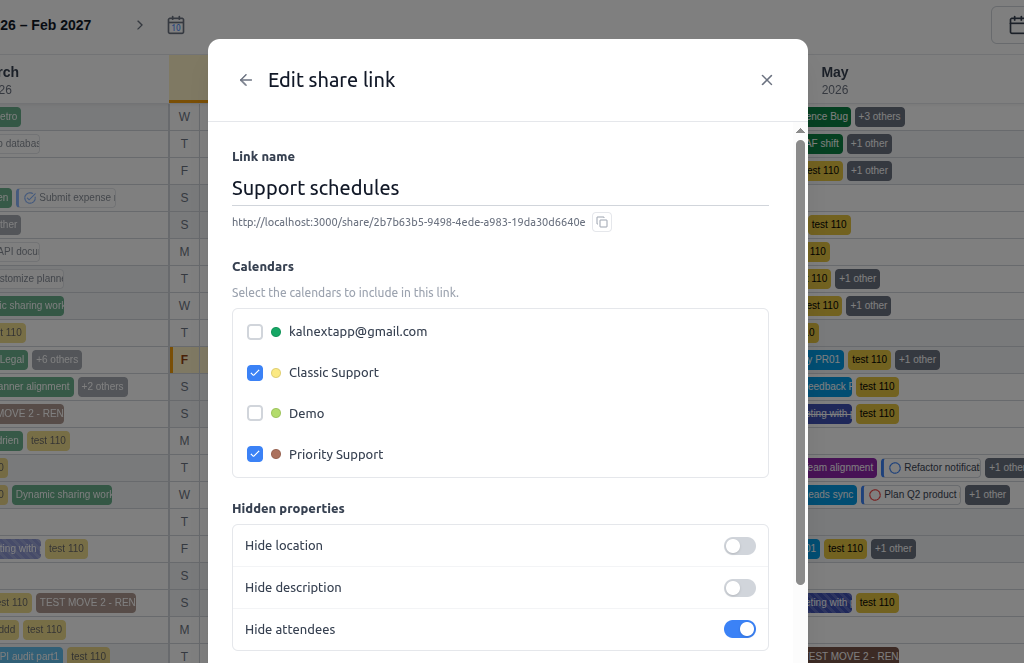
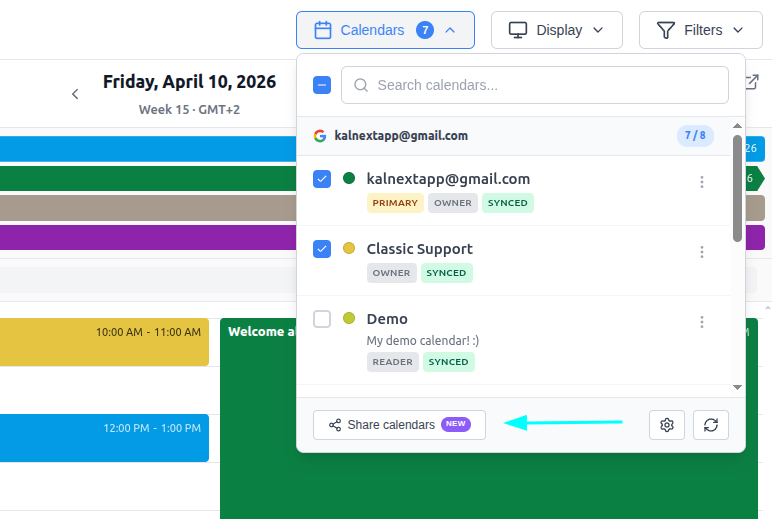
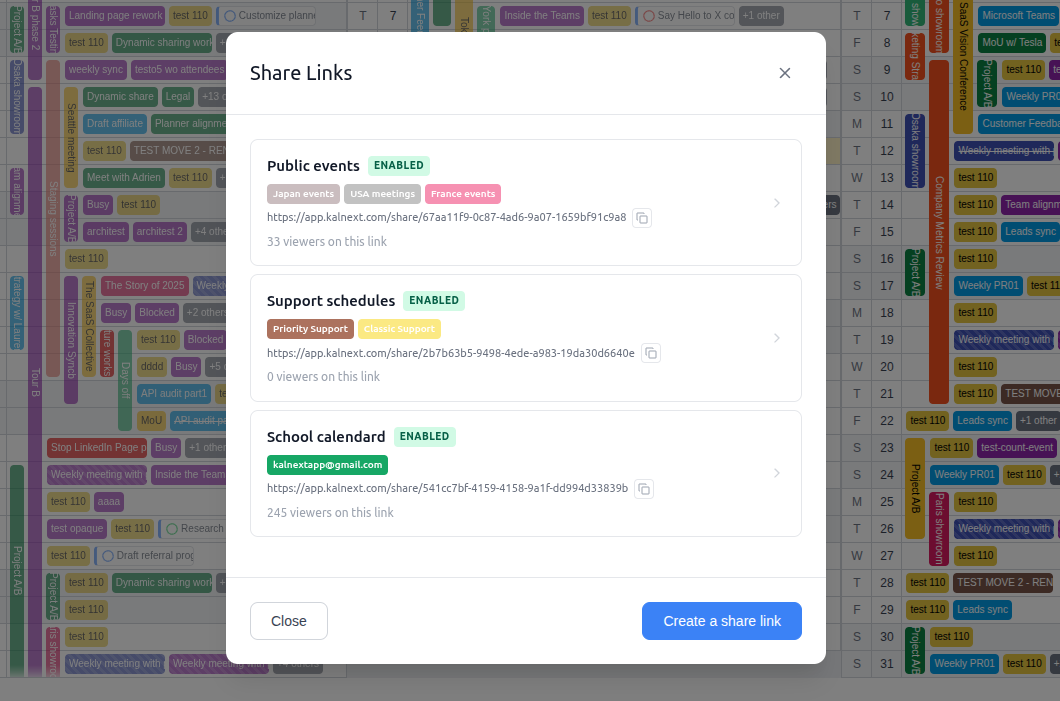
Introducing Dynamic Share Links! Generate a unique public link for any combination of your calendars. Recipients see an always up-to-date, read-only view of your schedule, no account required. Learn more
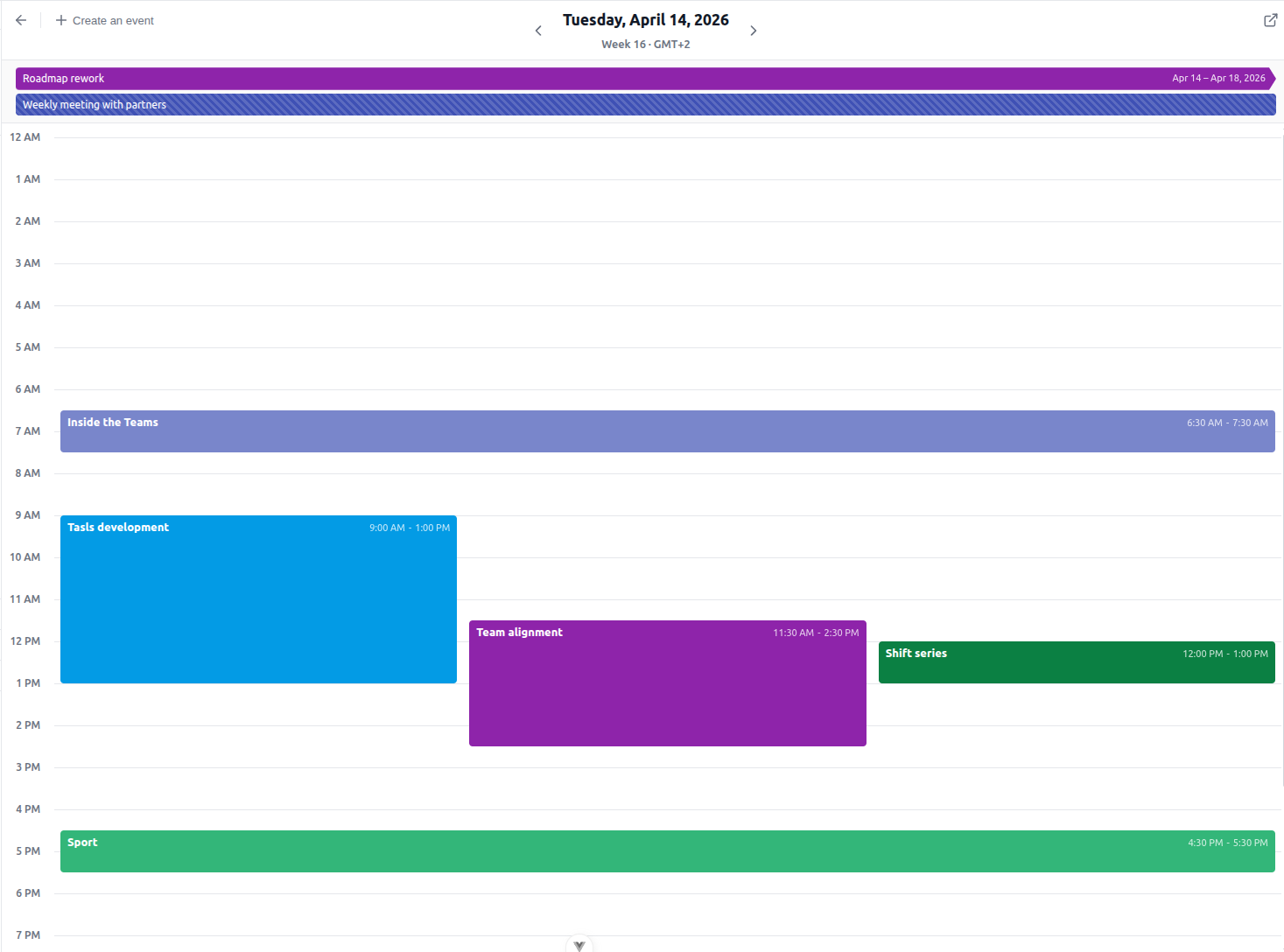
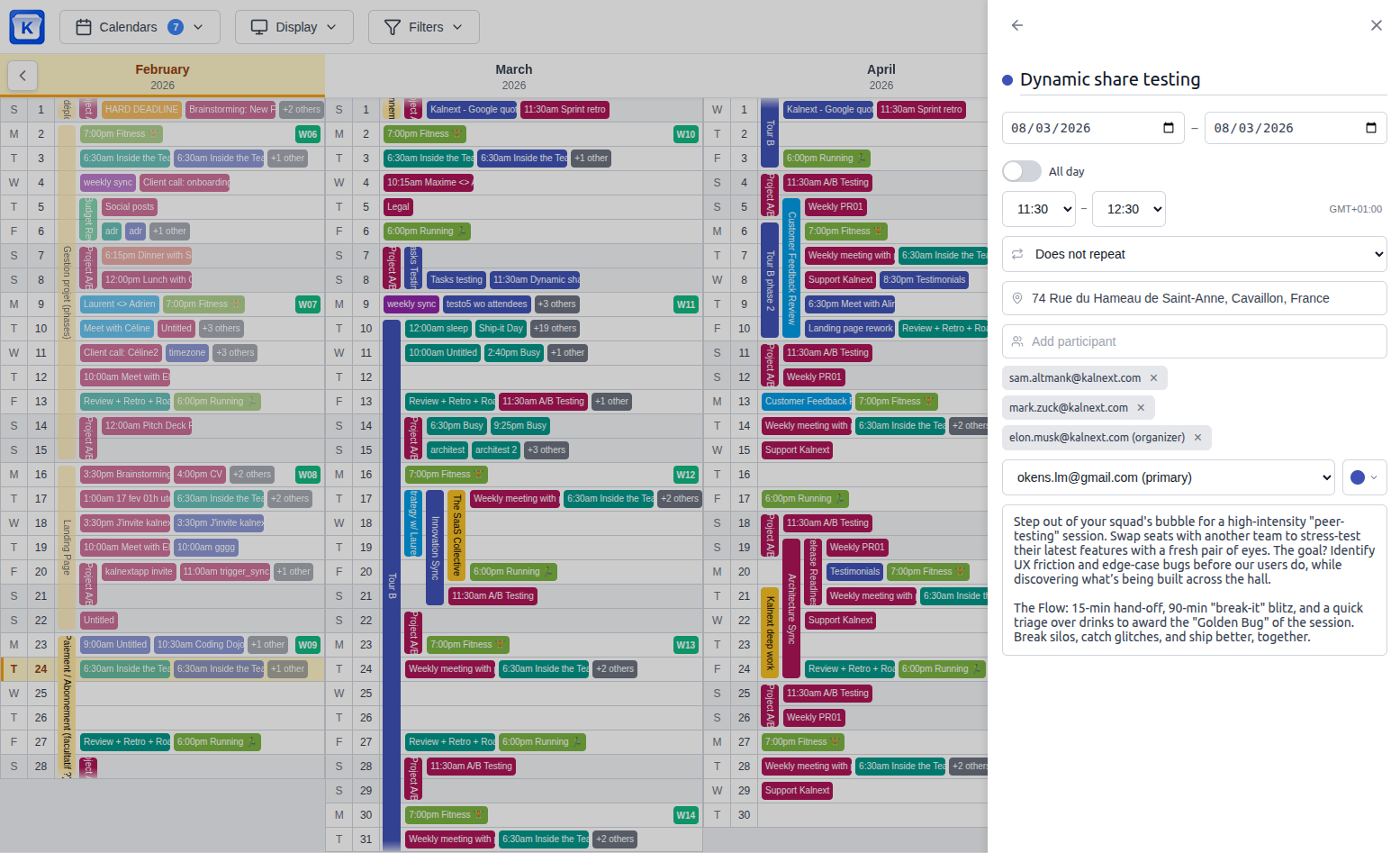
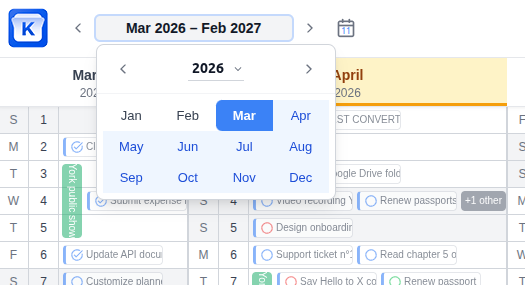
The layout has been reworked to keep you focused on what matters. User profile and support now live in the left sidebar, while calendar management and planner options are accessible from the top-right toolbar. Navigating across months and years is also much faster, making it easier to jump to any date in your planner.
The task panel can now be collapsed to give your planner more room. Expand it whenever you need it, hide it when you don't.
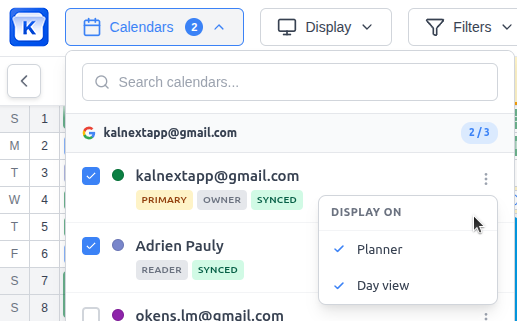
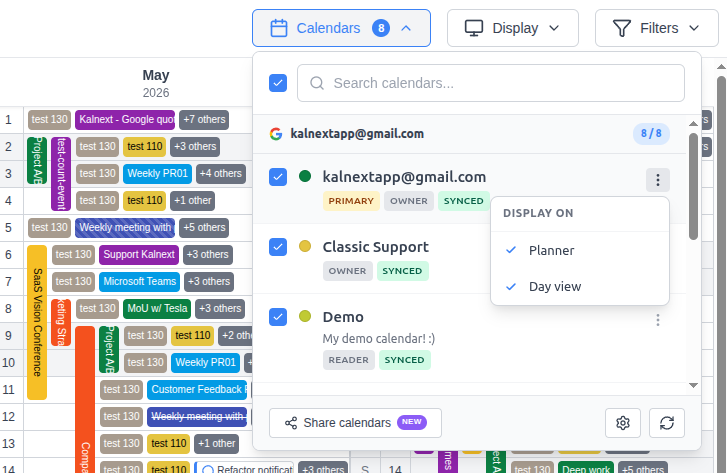
You can now choose to display a calendar on the planner, the day view, or both. Fine-tune exactly what you see, where you see it.
You can now create events in the day view by dragging on an empty time slot, and resize existing events by dragging their edges, all without opening any form.
April 4th, 2026
New
Improved

Google Tasks Integration: Say hello to the new Task Side Panel! You can now import your Google Tasks lists and manage both tasks and subtasks directly within Kalnext without switching views.
Drag & Drop Scheduling: Organize your day by dragging tasks from the side panel directly onto your planner to set their scheduled date.
Task "Augmentation": Take your productivity further by assigning specific durations and importance levels to your Google Tasksβfeatures not natively available in Google.
Note: A new Google permission is required to sync and reschedule tasks/events. Please head over to your Settings to grant it.
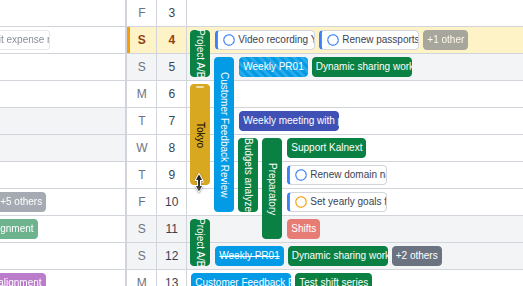
Multi-day Resizing: In addition to drag-and-drop rescheduling, you can now resize multi-day events directly on the planner to change their duration instantly.

Core Event Engine Overhaul: A major redesign of how events are displayed and edited to provide a significantly smoother and faster user experience.

Granular Visibility: You can now toggle whether events from a specific calendar appear on the main planner, the day detail view, or both.

Immersive Day Detail: The day detail view now opens in full-screen mode to provide a cleaner, distraction-free workspace.

Event Management: Fixed various minor bugs and edge cases related to event creation and modification for a more stable experience.
March 4th, 2026
New

Manage your events directly from the planner π
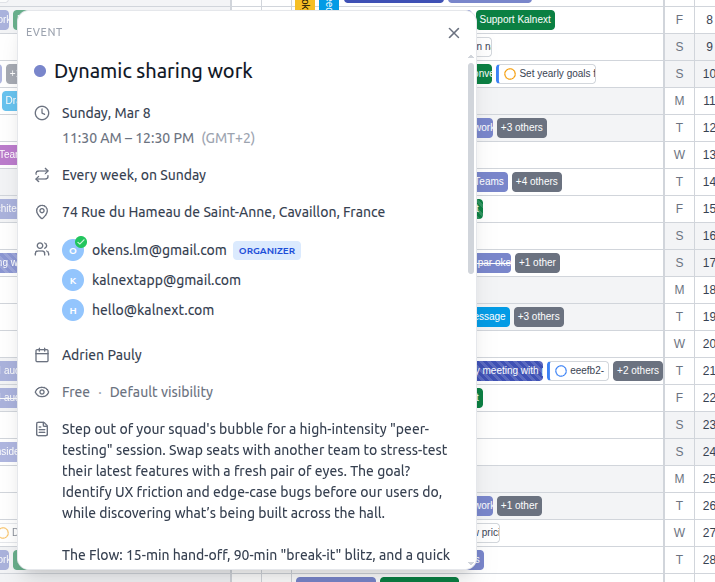
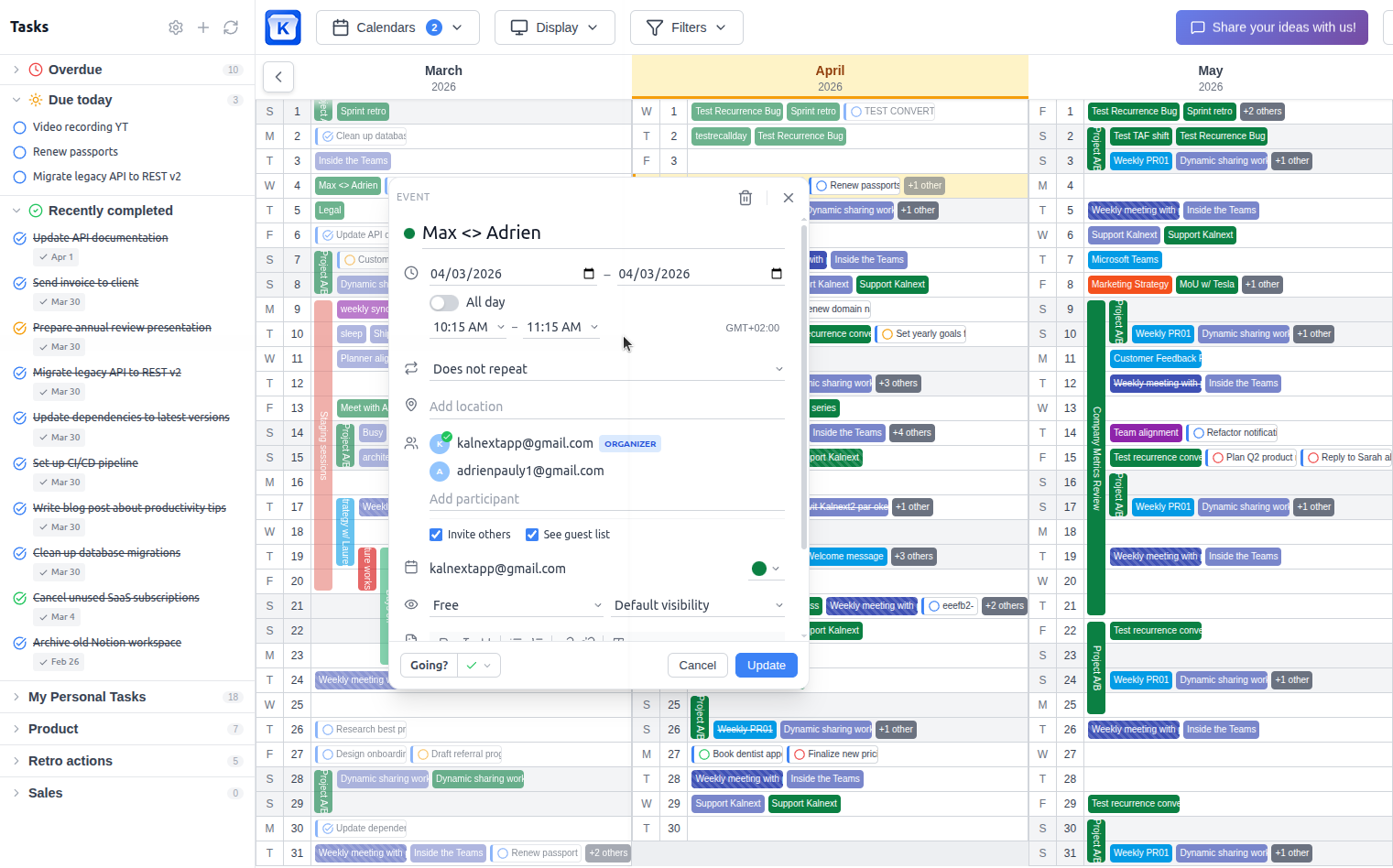
You can now create, edit, RSVP, and delete events right from your planner. No need to leave the page, everything happens in the side panel for a seamless experience. β¨
February 22nd, 2026
New
Improved

Reschedule events with drag & drop
You can now reschedule events by simply dragging and dropping them to a new date on your planner. Adding and editing events directly from the planner is coming very soon, stay tuned!
A new Google permission is required to reschedule events. Head over to your Settings to grant it.
Display event start time
A new planning view option lets you display event start times directly on your planner. You can enable it in your Preferences.
Invoice list in Subscription
Your invoices are now available directly in the Subscription section.
Various UI/UX improvements
Several refinements have been made across the application to improve the overall user interface and user experience.
Improved translations
Translations have been reviewed and improved for better accuracy and consistency across all supported languages.
February 12th, 2026
New

Multi-language support π Multi-language support Kalnext is now available in multiple languages!
π¬π§ English πͺπΈ EspaΓ±ol π«π· FranΓ§ais π―π΅ ζ₯ζ¬θͺ
You can change the language in your Preferences. More languages will be added soon. π
π New right panel
The day detail popup has been replaced by a right panel for a smoother experience. More features will be added to it over time.
π¨οΈ Print improvements
The printable planner has been refined with better contrast, improved sizing and fonts, and various border fixes for a cleaner output.